Remote Notification
What is Remote Notification?
Remote notification function provided with AndApp Services is a function that can notify from the game server.
There are cases in which the contents of the remote notification are displayed in the area that can be recognized by the user on the desktop (notification on the desktop), and cases where only the notification content is acquired on the game side (data notification only) exist. For the remote notification to be sent, you can set the notification payload (title, body, associative array data) .
Regarding notifications on the desktop, it is sent to the AndApp client's background process, so it is possible for the game side to receive notification content even when the game is not running.
Remote notification type
There are two types of remote notification function provided by AndApp Services, "notification on desktop" and "data notification only", and behaviors vary depending on the state of the game. For remote notification type, you can specify it when sending.
| Remote notification type | A state in which the game has not yet started | A state in which the game is already activated |
|---|---|---|
| Notification on desktop |
|
|
| Data notification only |
|
|
Remote notification image displayed on the desktop
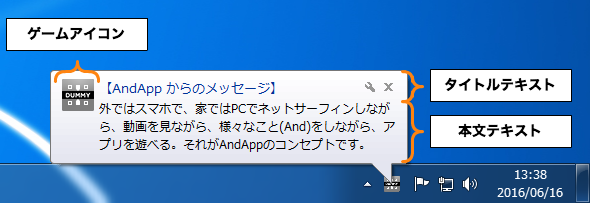
The display image of the notification on the desktop is displayed in the balloon as follows and you can start the corresponding game by clicking on the balloon. For the display inside the balloon, the display of the icon set in the Developer Dashboard is displayed in the upper left part, and the title text and body text are displayed on the right side of the icon.
Set the title text and body text when sending remote notifications.
Display image for each OS
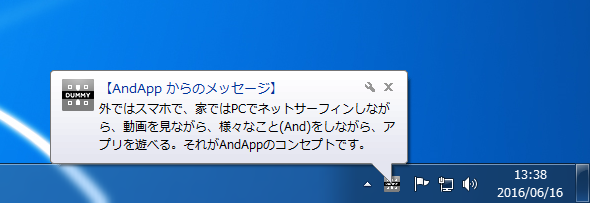
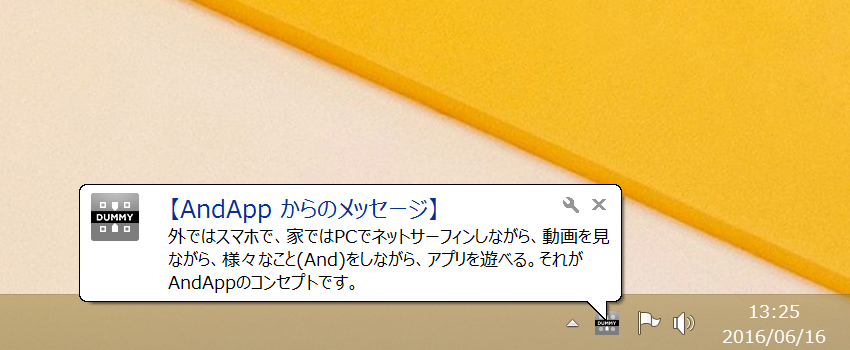
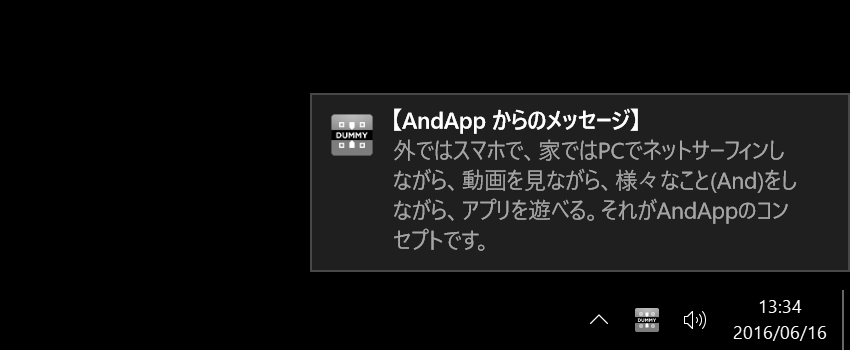
The display image of the desktop notification for each OS is as follows.
Window 7
Windows 8.1
Windows 10
Development overview of remote notification function
In order to implement remote notification, the following development is required.
- Acquire and save Notification Token
- Implementation of the receiving part
- Implementation of transmission part
For development content, refer to the item "Remote notification" in the development document of each SDK.
Change log
- 2016/07/28
- Add C ++ description
- 2016/06/20
- Create New