Canceling Payments
Canceling payments
You cannot cancel payments in Mobacoin.
In the case of MobaCoin payment it is not possible to cancel the payment.
AndApp provides a cancel function for the limited month of the payment.
You can search payment history in “Cancel Payment” in “Production”, and then cancel the selected item.
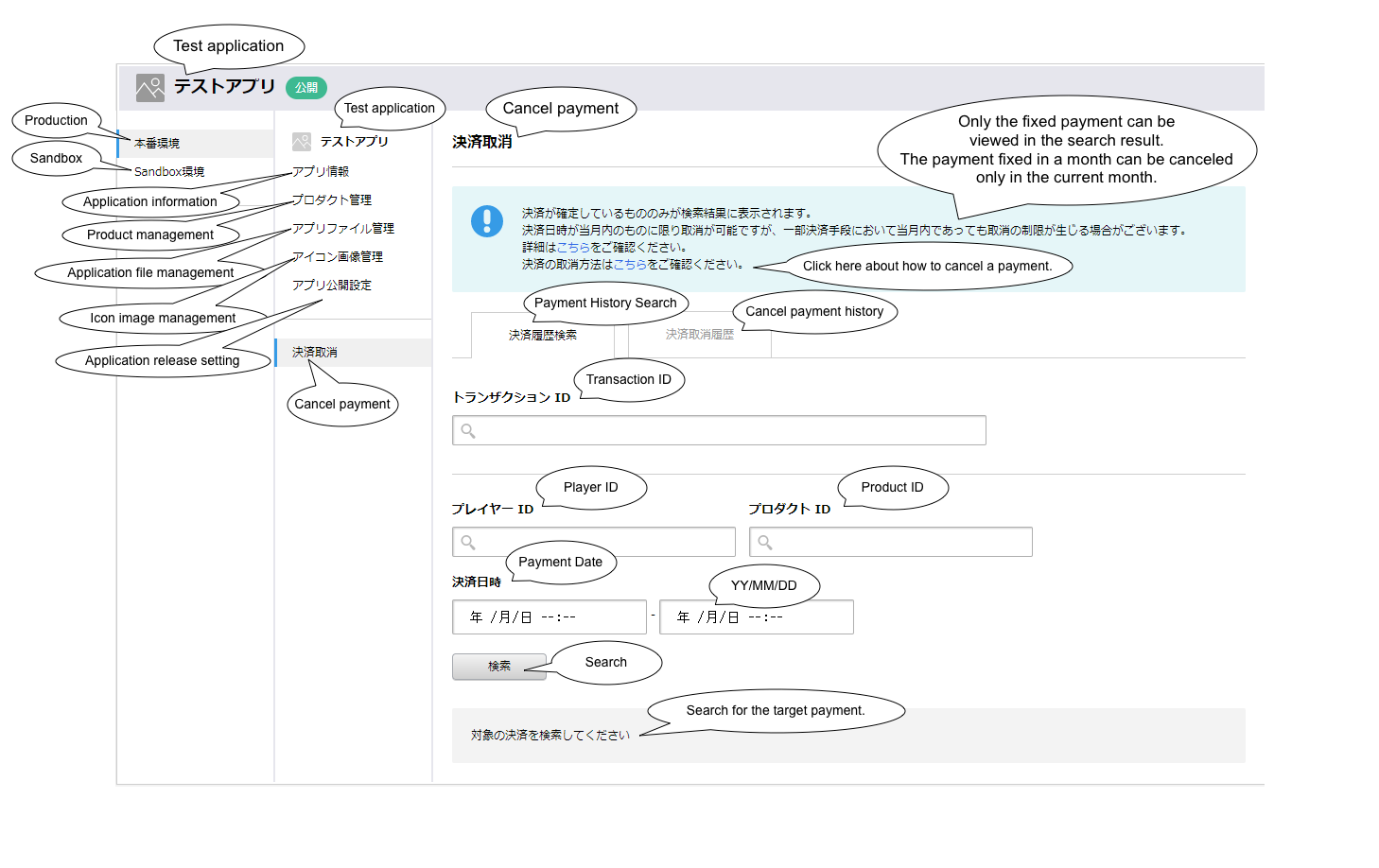
Search of payment history
You can search payment history following two methods:
- Search for transaction IDs
- Search for combinations of player IDs, product IDs and payment dates
Multiple searches (Ex, search for product IDs “A” and “B") cannot be performed in each field.
Also, you should be aware that entries in other fields become invalid when any value is inputted in the transaction ID field.
In the following example, “Player ID:100” is not searched for, but “Transaction ID:997387 is searched for.
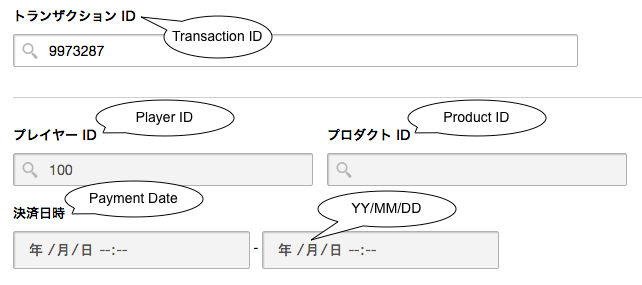
Payment History
The following record can be reviewed if there is a payment history.
(* “Cancel payment” button is not displayed if payment is in Mobacoin.)

Canceling payments
The following screen appears to confirm cancellation of payment when you click the Cancel Payment button at the right of Search History.
When you click Run Cancel Payment button at the lower right, cancellation of the payment starts.
It can take several minutes to cancel a payment. Confirm "Cancel Status" of the record after a period of time.
The cancel process is intended only for the cancel history within the current month. An error occurs when the period is more than a month. Give yourself plenty of time to perform the process.
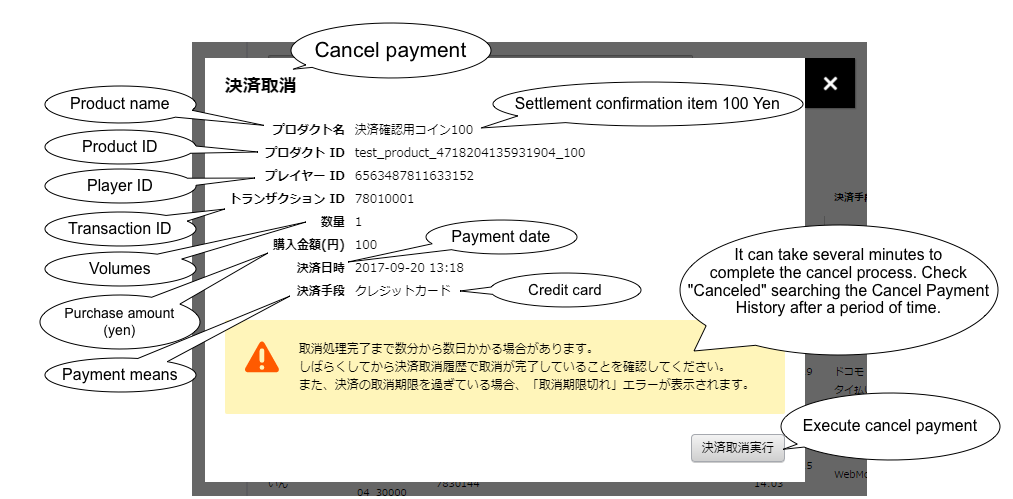
Cancel Status
Cancel Status includes the following:
| Cancel status | Description |
|---|---|
| - | It can be canceled. “Cancel payment” appears only in the record of this status. |
 | Cancel payment process is completed. |
 | It cannot be canceled because the payment history is outside the month. |
Search for Cancel Payment History
You can check the status of the payment cancellation in "Cancel Payment History".
The previous cancel statuses can be searched and viewed through this history.
In addition, you can find payment cancellation in the status of cancel payment history, as well as with search items in the history.
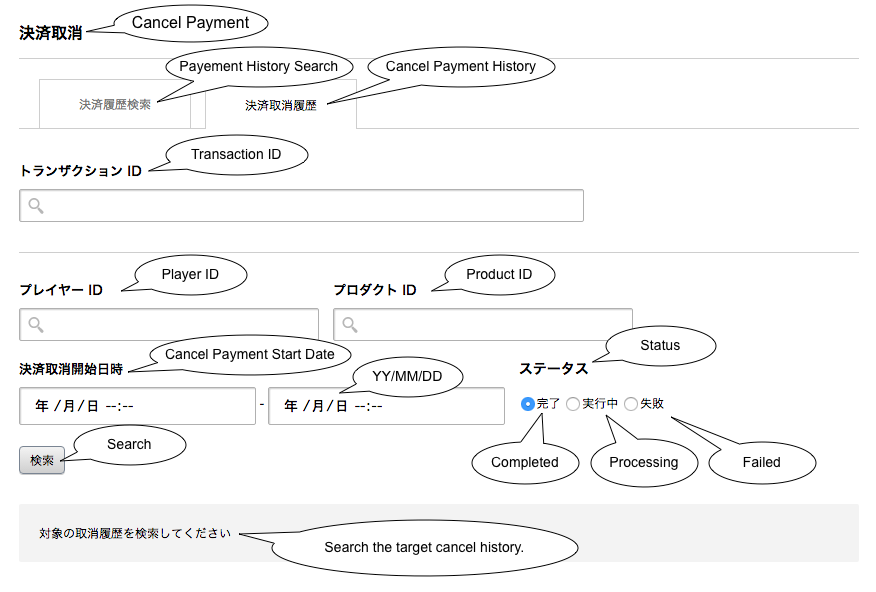
Cancel Payment History
The cancel payment history is as per the following record.
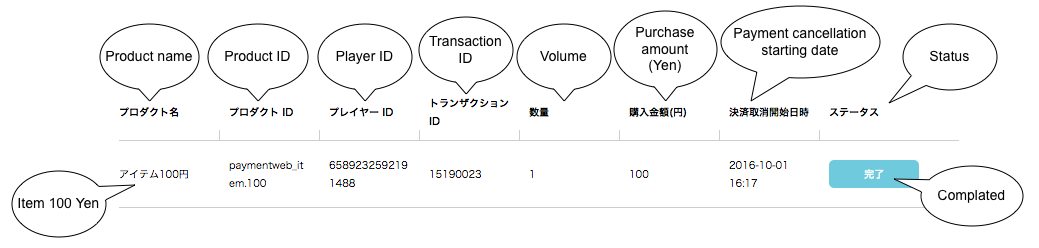
Statuses of Cancel Payment History
Statuses of cancel payment history are as follows:
| Status | Description |
|---|---|
 | Cancel payment is completed. “Payment is canceled” is displayed in the history. |
| Cancel is processing. Search a payment again after a period of time. | |
| Cancel failed. Check the history of the payment. |
Update History
-
October 7, 2016
-
Newly created