Payments Report
You can check monthly payment amount in a payment report.
(The following screen is a sample)
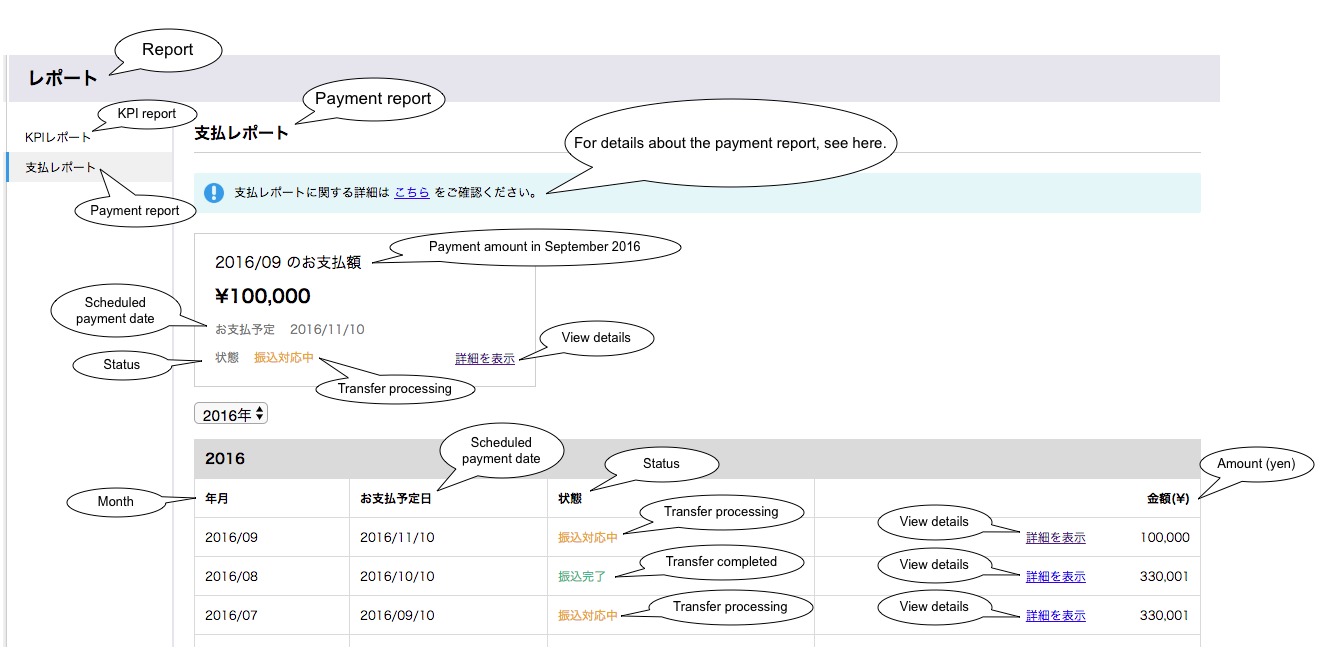
Displayed item
| Items | Description |
|---|---|
| Month | Shows the calculation target month. The amount is reflected around the 15th day of the month following the target month. |
| Scheduled payment date | Payment closes at the end of the month, and is transferred on the 10th of the two subsequent months. However, if such dates are Saturday, Sunday, or holidays, the immediately following business day shall be the payment date. |
| Status | Refer to “Status” below. |
| Amount | A payment amount is displayed. |
Status
| Status | Description |
|---|---|
| Transfer processing | It is displayed for a few business days after the scheduled transfer date. |
| Transfer failed (Before transferring) | It is displayed when a transfer failed owing to bank account information or such, before transferring. |
| Transfer failed | It is displayed when a transfer failed. |
| Transfer completed | It is displayed when a transfer is completed. |
| Transfer (Special) | It is displayed when a transfer is performed individually. |
| Transfer stopped | It is displayed when we stopped the payment. |
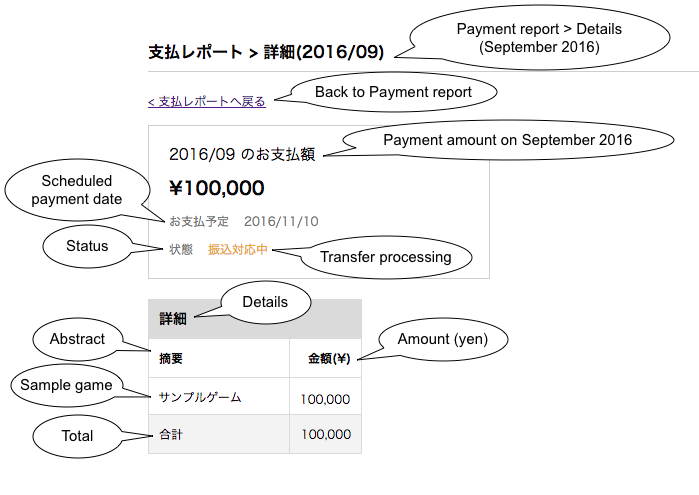
Details
You can check details of a payment amount by clicking “Show details” in each record of the payment report.
It is recommended to check details if you have several payments to more than one applications.
Account information
- If your bank account information is not correct, the transfer will fail, the amount is carried over and transferred on the 10th day of the month following the payment date, as a total.
- If you change the bank account information, contact us via “Contact” from the 10th day to the 25th day of the previous month of the payment.
Update History
- December 2, 2016
- Description in “Month” item added
- October 27, 2016
- Newly created