Sub Accounts Management
AndApp Developer Dashboard (Dashboard) recognizes a registered account as a master account and provides only the master account with the function administrating subaccounts.
The account registered as a subaccount can use some functions on the dashboard.
Also, the same e-mail as the notification mail for the master account is delivered to the “Registered e-mail address” set in a subaccount.
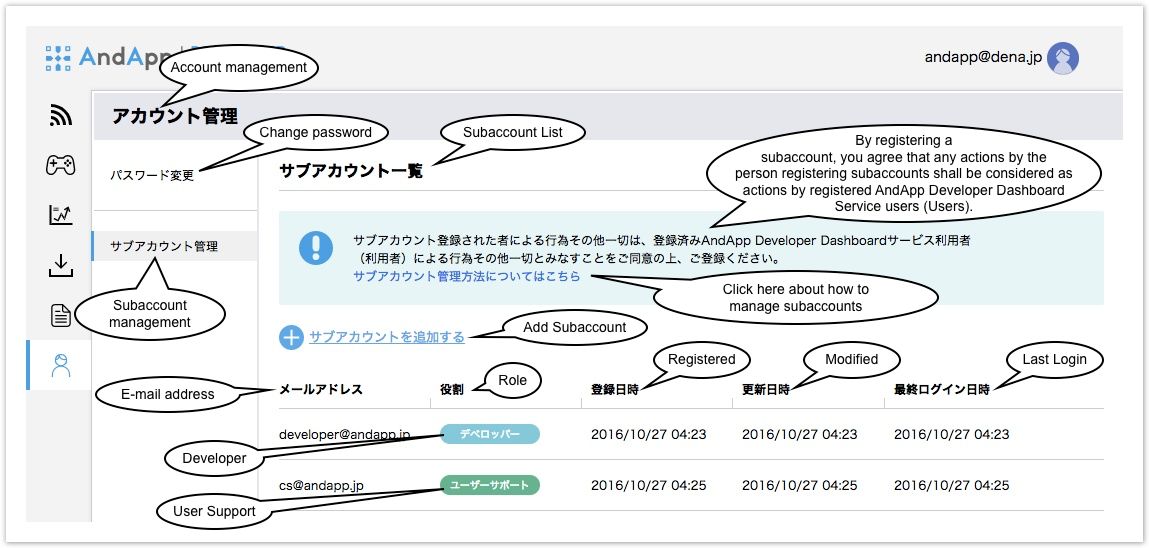
Registering subaccount
When you register subaccounts, you can set an administration application, an e-mail address, a password and account privileges.
For the account privileges required for the account administration, refer to the “Account privilege table” below. For the administration application, refer to the “Administration application”.
* The password must be at least 8 characters, composed of any combination of uppercase and lowercase letters and numbers.
Account privilege table
Account | Role | Subaccount admin | Application | Sandbox Environment | Production | Cancel Payment | Report | |||||
Read | Add | Read | Edit | Read | Edit | Read | Run Cancel | KPI | Pay | |||
|---|---|---|---|---|---|---|---|---|---|---|---|---|
Master account *1 | ◯ | ◯ | ◯ | ◯ | ◯ | ◯ | ◯ | ◯ | ◯ | ◯ | ◯ | |
Subaccount | Admin | - | ◯ | ◯ | ◯ | ◯ | ◯ | ◯ | ◯ | ◯ | ◯ | ◯ |
Manager | - | ◯ *2 | - | ◯ | ◯ | ◯ | ◯ | ◯ | ◯ | ◯ | - | |
Developer | - | ◯ *2 | - | ◯ | ◯ | ◯ | ◯ | ◯ | - | - | - | |
User Support | - | ◯ *2 | - | - | - | - | - | ◯ | ◯ | - | - | |
Tester | - | ◯ *2 | - | ◯ | ◯ | ◯ | - | ◯ | - | - | - | |
Analyst | - | ◯ *2 | - | - | - | - | - | - | - | ◯ | - | |
| Custom | - | ◯ *3 | ||||||||||
*1 You cannot create more than one master account.
*2 Refer to "Administration application” below.
*3 Refer to "Administration application (Custom)” below.
Administration application
Applications to be administered respectively must be assigned to roles other than the administration.
Newly added applications can be targeted when "Select All Applications” is On.
If you select "Target all applications", newly added applications are also applicable.
Even if you do not have the viewing authority of the production application, the individual selected application can browse some information of the application.
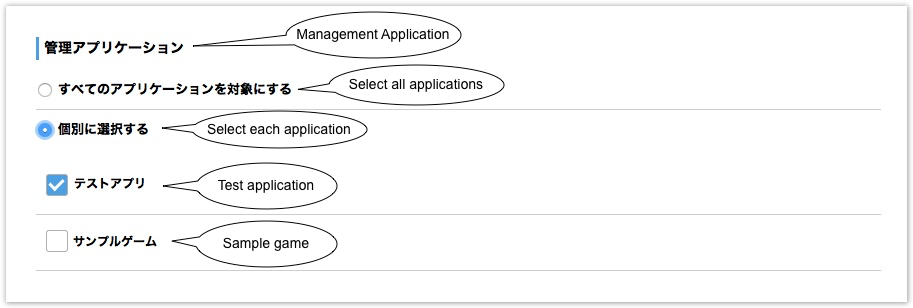
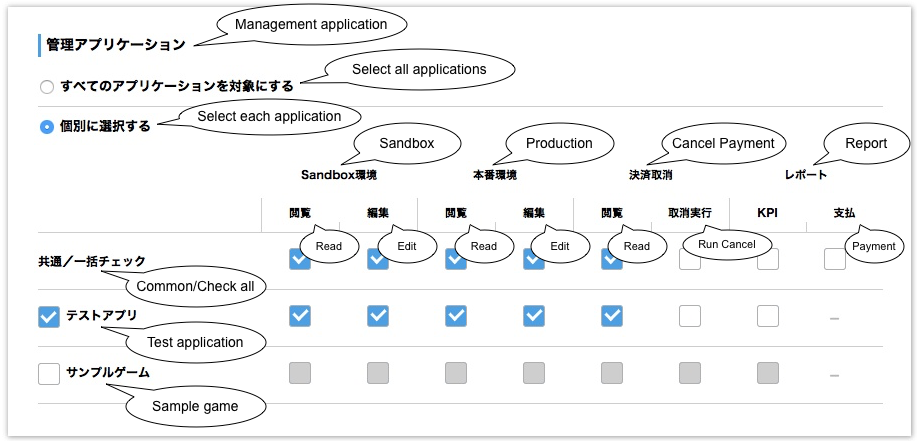
Administration Application (Custom)
If “Custom” is selected for roles, you can select privileges freely for each application.
Also, you can set privileges for selected applications at once.
Editing Subaccounts
You can edit each subaccount on the account list screen.
Account privilege is the only editable item.
Deleting subaccounts
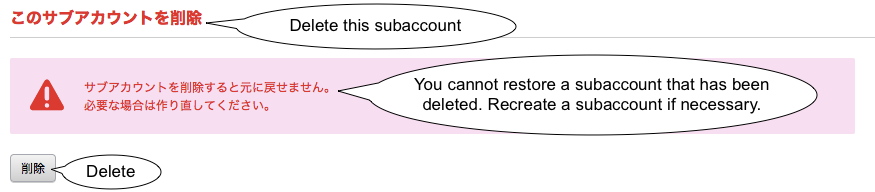
You can delete subaccounts using the delete button at the bottom of the edit screen.
* You cannot restore a subaccount that has been deleted. Register a subaccount again.
Update History
- May 17, 2017
- Role (Custom) added
- Account privilege table modified
- December 12, 2016
- Newly created