Using AndApp SecureLib for Unity
This page explains about AndApp SecureLib for Unity of usage.
AndApp SecureLib for Unity is to provide for more information about the API, please see the included documentation to AndApp SecureLib for Unity.
How to Use
Start the Unity Project, and then import the AndAppSecureLib.unitypackage.
Function of AndApp SecureLib will be called by the import AndAppSecureLib.unitypackage.
Functions list
HTTP Public Key Pinning
By unauthorized SSL certificate in order to prevent the man-in-the-middle attacks, it is a feature that can not communicate a rogue certificate.
Embed the Public Key to the client, you can do only with the communication server to match the embedded Public Key.
How to Use
- Get Public Key Canada, into a sequence of byte type
- Communicate pass the Public Key converted to byte type AndApp.SecureLib
Get Public Key Canada, into a sequence of byte type
First Public Key Pinning and Public Key acquisition of server for HTTPS communication, and converts the acquired Public Key to the sequence of the byte type.
Conversion to the acquisition / byte-type sequence of the Public Key can be done in the following manner.
How to get a Public Key using the Google Chrome
Please use Google Chrome in the Windows environment without fail. When will the other environments are displayed differently to the way of the Public Key.
In Google Chrome, to access the server to obtain a Public Key, and then click the "key mark" in the address bar.
Then click the "details" link in the open is within the panel.
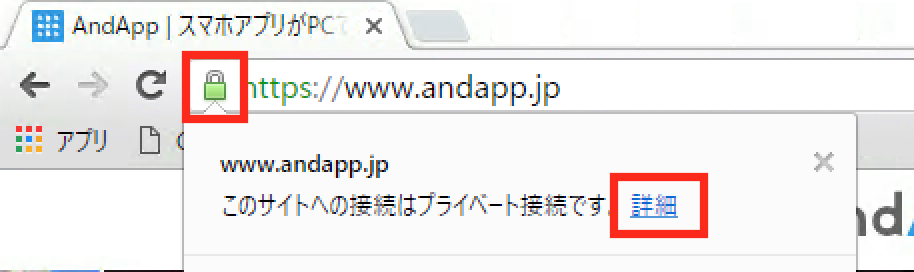
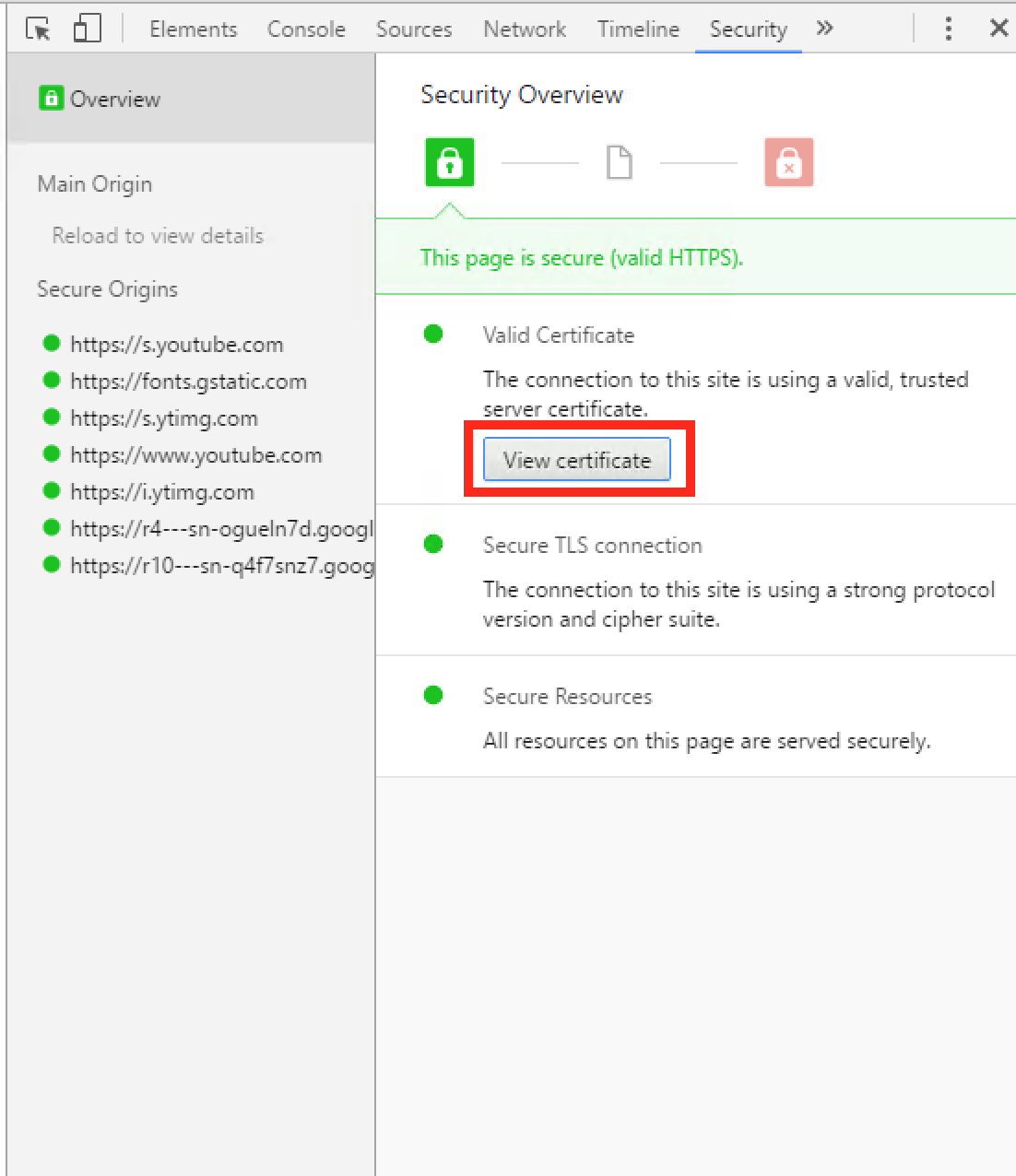
When you click the "details" link, you will see the Security OverView.
Select the domain you want to get the Public Key and click the View certificate button.
Select the "Advanced" tab of the certificate in the panel that opens when you click the View certificate button, and then select the "public key" from the field.
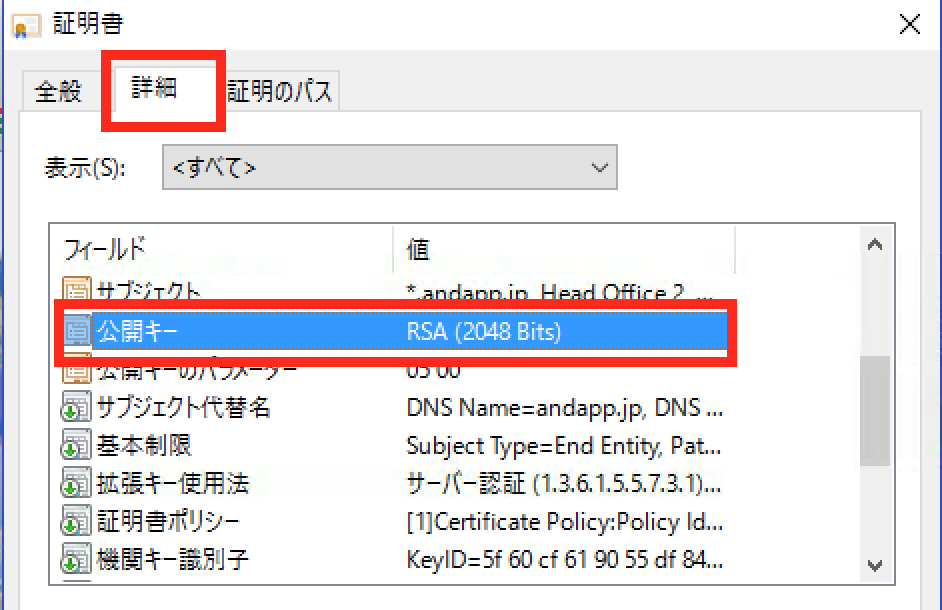
Since When you select a public key is a string of Public Key is displayed, and then save the string.
The as follows: a string of the acquired Public Key and converts it to an array of byte type.
string publicKey = "A6 83 CD ...";

byte[] bytes = null;
char[] sep = { ' ' };
string[] comps = publicKey.Split(sep);
if (comps.Length > 0)
{
    int j = 0;
    bytes = new byte[comps.Length];
    foreach (string comp in comps)
    {
         bytes[j] = Convert.ToByte(comp, 16);
          j++;
     }
}
How to get the public key using the openssl command
Get the Public Key of the type the command hexadecimal string such as the following.
# If you want to get the Public Key of www.andapp.jp
openssl s_client -servername www.andapp.jp -connect www.andapp.jp:443 < /dev/null | openssl x509 -outform PEM | openssl x509 -pubkey -noout | sed '/^-/d' | awk '{printf "%s", $1}' | base64 --decode | tail -c +25 | xxd -i
The results such as the following when you enter the above command is returned.
0x30, 0x82, 0x01, 0x0a, 0x02, 0x82 ...
If you are using an encryption method other than the RSA to the SSL certificate on the destination might be how to get is different. Please contact us at that time.
The hexadecimal string acquired in the openssl command will have in the variable as a byte array.
byte [] bytes = {
   0x30, 0x82, 0x01, 0x0a, 0x02, 0x82 ...
}
Communicate pass the Public Key converted to byte type AndApp.SecureLib
Next, the host of the URL to perform the HTTPS communication in AndApp.SecureLib.WWW.PinPublicKey, was converted to Public Key array of byte type passes.
By calling the AndApp.SecureLib.WWW (url) in the state, to generate a AndApp.SecureLib.WWW object, it is downloaded in the background will begin.
AndApp.SecureLib.WWW.PinPublicKey("www.andapp.jp", bytes);
AndApp.SecureLib.WWW www = new AndApp.SecureLib.WWW(url);
Change log
- 2016/09/02
- Fix due to an error in how to obtain the public key using the openssl command
- 2016/09/01
- Create New