Registering Application
Setting Application Name
Set an application name when creating the application.
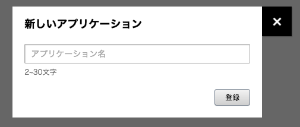
Registering an App for Sandbox
A new application is created by setting the application name. Then, register the application used in Sandbox for using it under the Sandbox environment. Click the “Register Sandbox App” button.
The following entry screen appears by clicking the button. Enter fields required for registering the app for Sandbox.
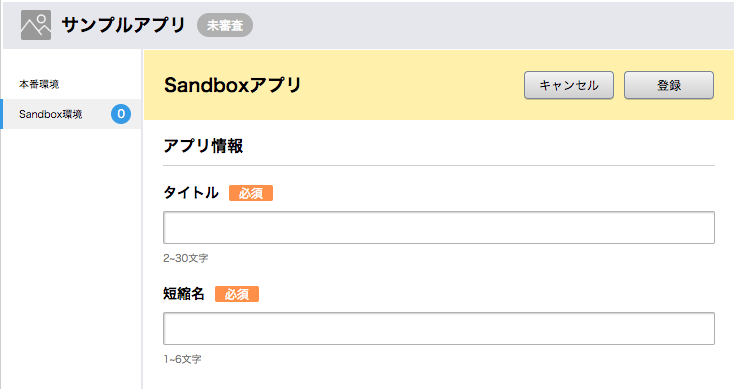
Items | Descriptions |
|---|---|
Title | Identifier of Application Title must be at least 2 characters and not exceed 30 characters. |
Abbreviation name | Abbreviation name of Application The abbreviation name must be at least 1 character and not exceed 6 characters. |
When the application for Sandbox has been registered, the set information, Client ID, and Client Secret appear.
The information can be used in the setup of AndApp SDK and Client Credentials Grant Flow of OAuth2.0.
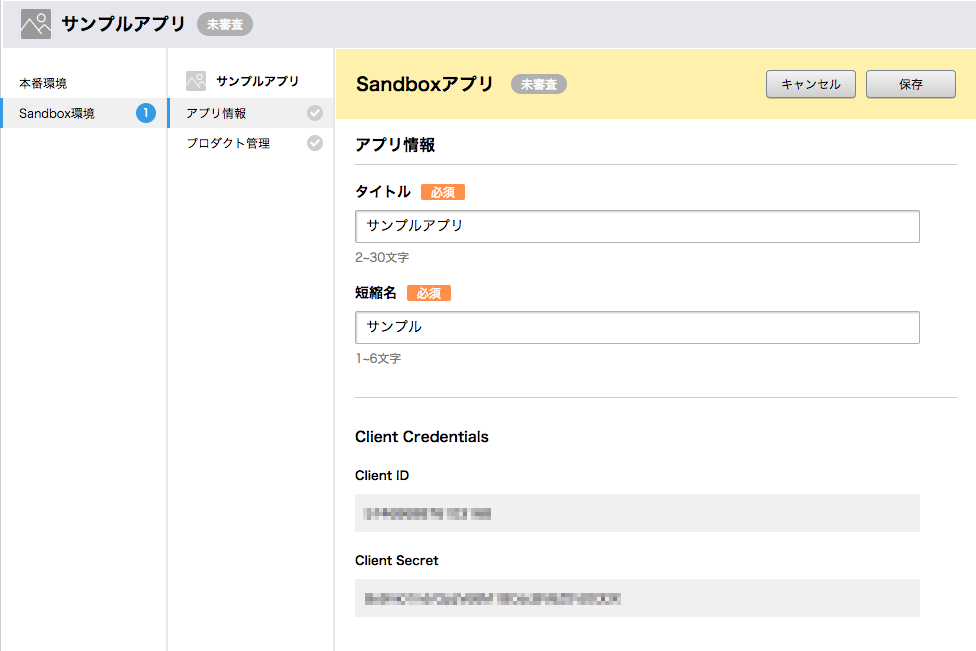
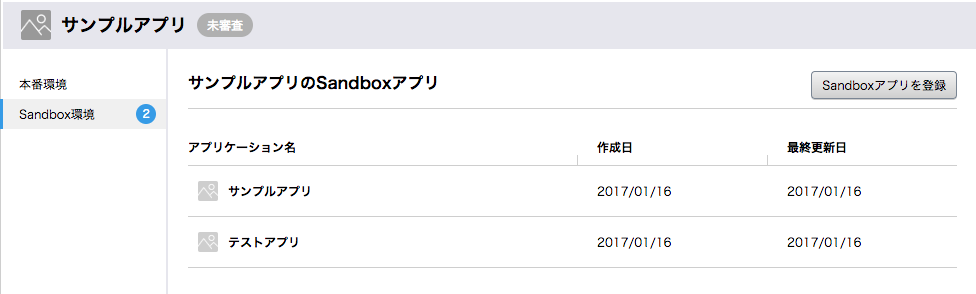
Multiple applications for Sandbox can be registered. Also, Client ID and Client Secret are issued for each application.
If you want to change the Client ID or product setting for each verification environment, applications for Sandbox can be registered in accordance with such environments.
Update History
- January 23, 2017
- The number of characters for new applications changed to 30
- January 16, 2017
- The number of characters for a title changed to 30
- October 7, 2016
- Added that multiple applications for Sandbox can be issued.
- July 28, 2016
- Newly created