Installing Application
This page describes installing AndApp client and applications.
Installing AndApp Client
AndApp Client is available on https://www.andapp.jp or on the download page of AndApp Developer Dashboard.
You can download the client through AndApp Developer Dashboard after "Publication Check".
You can install AndApp Client executing Setup.exe in the zip file. The following is the installed path. The installer creates AndApp icon on desktop.
%LOCALAPPDATA%¥AndApp
AndApp client and background process automatically starts after the installation.
You can check task manager to check if the background named as AndAppHelper.exe is up running.
Installing Applications
Applications can be installed on the following.
- https://www.andapp.jp/
- "Download" button on the application details page
- AndApp Client
- "Download" button of the application details page
- AndApp Developer Dashbaord
- "Test Installation" button of the application page
AndApp Client starts and displays the confirmation of the install when you press the "Download" and "Test Installation" button.
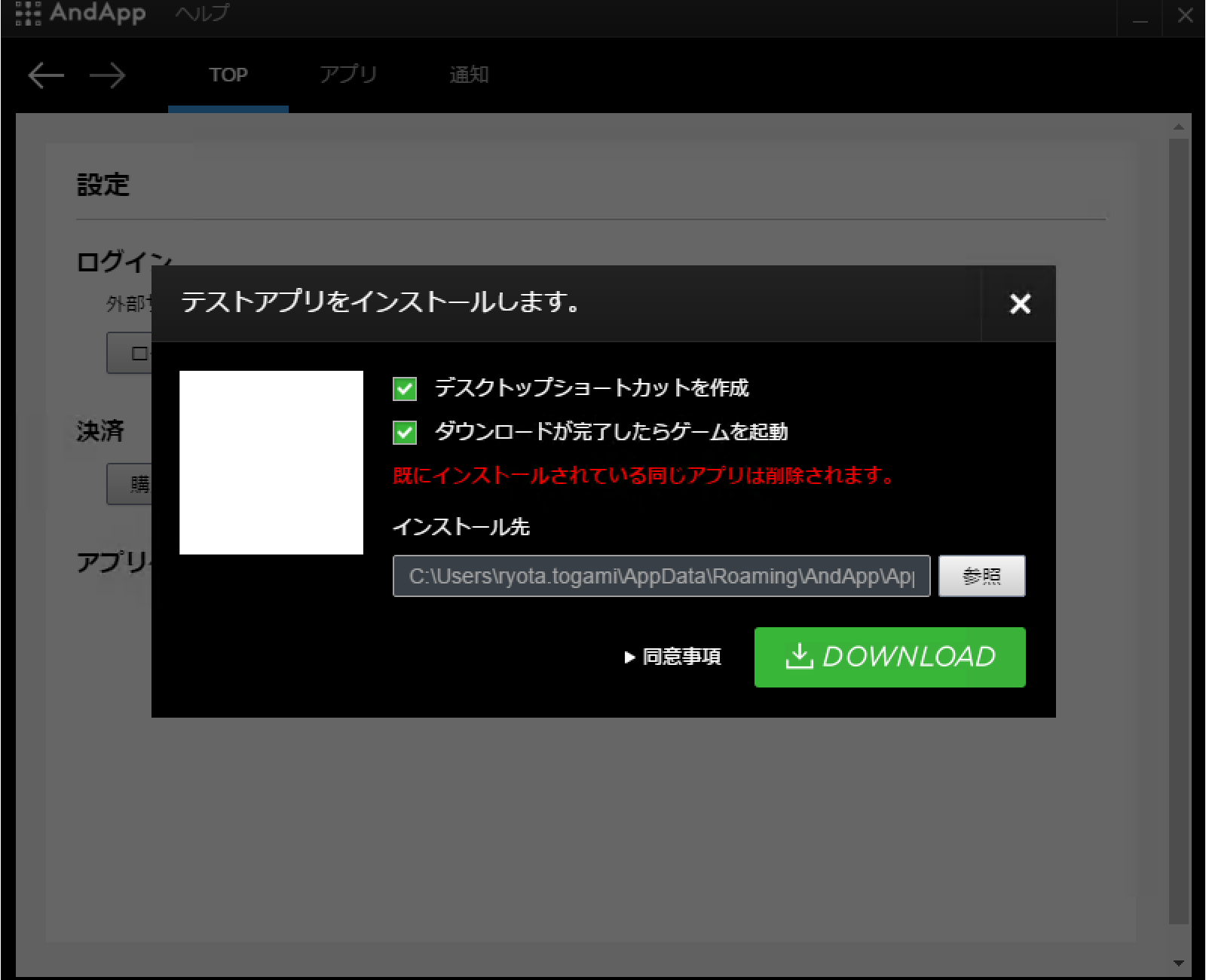
The installation path can be specified by the confirmation dialog.
The default path is the following.
%APPDATA%¥AndApp¥AppData
Click the "download" button on the confirmation dialog. The application starts automatically once the application is downloaded.
Change log
- 2016/10/7
- Create New